Inspections

Inspections that don't end
in a filing cabinet.

Define what to check. Your field team runs it on any device — online or off. When something fails, create an issue in one tap. Evidence, assignments, and verification stay in the same system.

What changes when inspections drive action

100%
Finding follow-through
Every finding becomes a tracked issue — nothing gets lost
0
Data re-entry
Offline inspections sync automatically — no duplicate typing
Fewer repeat failures
Trend detection spots degrading conditions before breakdown
Audit-ready proof
Evidence, timestamps, and signatures for compliance

Four steps from checklist to verified fix

1

Build templates

Sections, question types, conditional logic. Link templates to asset types so the right checklist appears automatically.

2

Run on mobile

Field workers see their queue. Work through sections. Capture photos, readings, signatures. Fully offline — syncs when connected.

3

Flag & create issues

Failed items are flagged immediately. One tap creates an issue with asset, evidence, and severity pre-filled. Stay in the flow.

4

Submit & verify

Summary before submit. Responses locked for audit. Supervisors triage and assign. Resolution verified before closure.

Built for real field conditions

  • Large touch targets — works with gloves
  • Full execution offline with auto-sync
  • Pause and resume across sessions and devices
  • Photo annotations (arrows, circles, labels)
  • Measurements evaluated against thresholds on-device
  • Barcode and QR scanning for asset identification
  • Digital signatures for completion and handoff
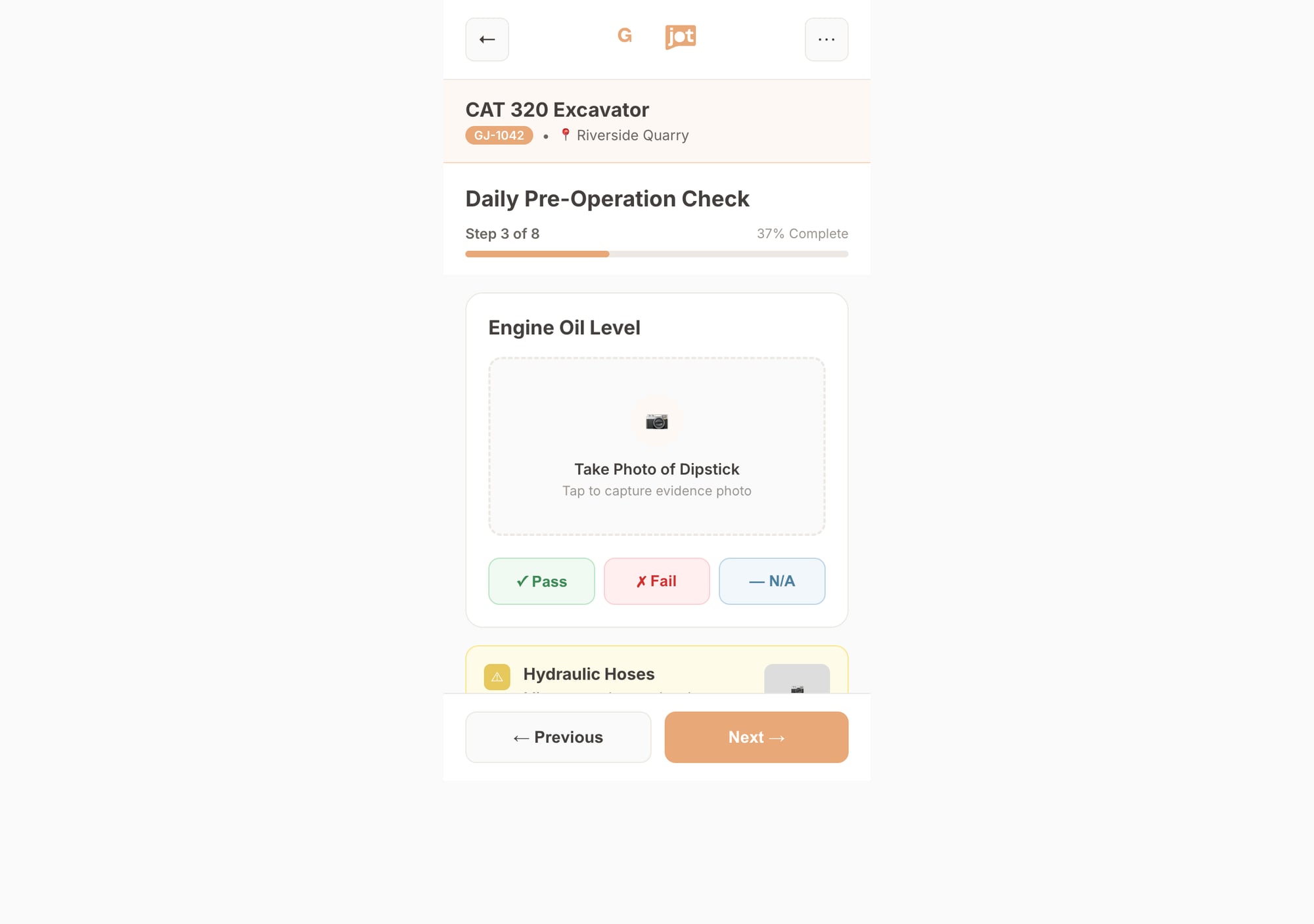
Mobile inspection on iPhone

Flexible inspection templates

Multiple response types

Pass/fail, condition rating, measurement (with ranges), text, number, date, photo, video, file, signature, location.

Conditional logic

Follow-up questions appear only when needed — "Describe the damage" only shows when "Exterior" = Fail. Inspections stay focused.

Versioning

Each run is tied to the template version used. Changes don't rewrite history — you always know what was actually asked.

Scheduling & assignment

Recurring schedules (daily pre-shift, monthly safety). Assign to people, teams, or pools. Overdue runs trigger escalations.

AI baseline comparison

GearBot compares current results to historical baselines. Spot degrading readings and recurring findings before they become failures.

Marketplace templates

Install pre-built inspection templates for your industry. Customize them. Or publish your own for other organizations to use.

Paper inspections vs. GearJoT

❌ Paper / disconnected apps

  • Checklists in binders — easy to skip or fudge
  • Findings written in notes — follow-up depends on memory
  • Photos scattered in emails or folders
  • "Did we fix that?" requires digging through files
  • Offline = no data or duplicate entry later

✅ GearJoT

  • Standardized templates — required questions, versioned
  • One-tap issue creation — linked to asset and evidence
  • Evidence attached to the response with timestamp + location
  • Full history on the asset — corrective actions and verification
  • Offline-first — sync when connected, no re-entry

Give your field team inspections
that actually drive follow-up.

From checklist to verified fix. One system.