Workflow Automation

Your processes run themselves.
With human judgment where it matters.

When a critical finding is submitted, the right sequence should happen every time: notify, triage, assign, fix, verify, close. GearJoT codifies those processes so they execute reliably — with humans in the loop where decisions matter.
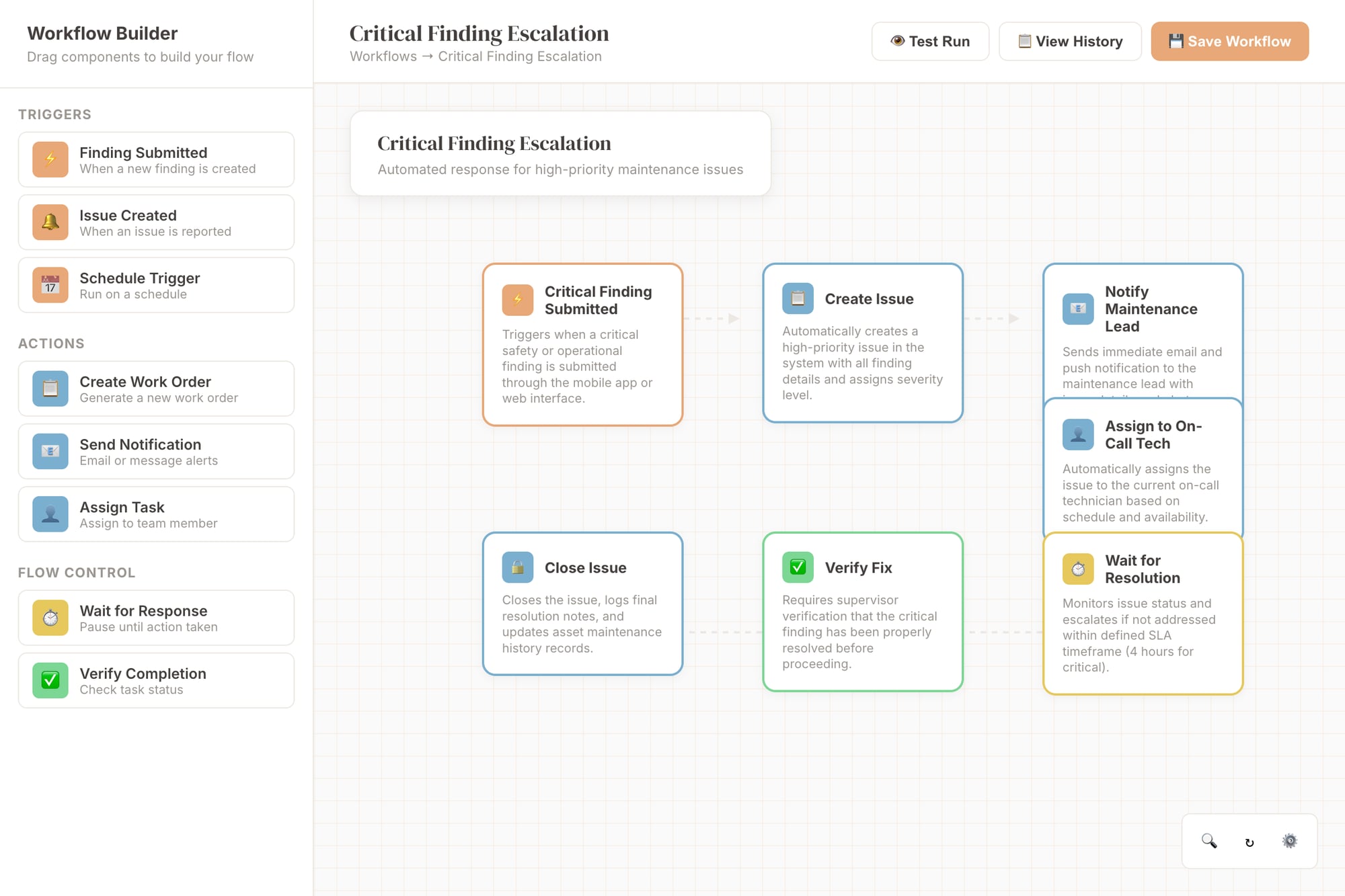
Visual workflow builder

What changes when processes don't depend on memory

0
Missed escalations
Automatic escalation when SLAs are at risk — no one needs to remember
Consistent execution
Same steps, same sequence, every time — regardless of who's on shift
📋
Complete audit trails
Every step recorded — who acted, when, what the outcome was
Less manual chasing
Notifications, assignments, and follow-ups happen automatically

Critical Finding Escalation

⚡ Critical Finding Submitted
📋 Create Issue
🔔 Notify Maintenance Lead
👤 Assign On-Call Tech
⏳ Wait for Resolution
✅ Verify & Close

Build workflows like flowcharts. No code required.

Drag, drop, connect. Your business logic becomes visual — easy to understand, debug, and modify. Same interface used by Zapier and n8n, but built for equipment operations.

  • Visual node editor with drag-and-drop
  • Real-time preview and testing
  • Template library for common workflows
  • Branch conditions with AND/OR logic
  • Human approval gates and timeouts
  • Complete execution logs and debugging
⚡ Trigger
Equipment idle >48h
🔍 Condition
Check maintenance schedule
🔧 Action
Create work order
📢 Notify
Alert fleet manager
Due?
✓ Yes: Create Order
✗ No: Log & Skip
Triggers
Conditions
Actions
Notifications

What you can automate

⚡ Triggers

Inspection submitted, issue created, SLA approaching, status changed, asset moved, custom event. Workflows start automatically when conditions are met.

🔀 Conditions & branching

If severity is critical → escalate. If asset type is crane → require safety review. Branch logic for different scenarios from the same trigger.

📧 Notifications

Email, push, in-app. Notify specific people, teams, or roles. Include context from the triggering record so recipients have what they need.

👤 Assignments

Auto-assign based on rules: round-robin, skill-based, site-based, or on-call schedule. No more "who should handle this?"

✋ Approval gates

Require human approval before proceeding: work order authorization, closure sign-off, budget approval. The workflow waits until the right person acts.

📝 Record updates

Automatically update fields, change statuses, create related records, or link objects. Keep data consistent without manual effort.

Codify your processes.
Stop relying on memory.

Visual workflow builder. No code. Full audit trail.